

maybirthdayby MayEvent Join the beta

The private family photo album

Your family's story, one birthday at a time.

MayBirthday is a private family photo album app. It keeps your family's photos and videos in one place: every birthday, plus the beach trips, Sunday lunches and days out in between, sorted by person and by year. Only your family can open it.

Join the beta on iPhone On Android? Email us

Free while we test it with our first families. To start your album you'll need an invite code: email us for one.

Why "MayBirthday"?

A birthday is the one day the whole family remembers

Even when we're far apart, we reach out. Tita calls from abroad. Lola sends a message. Someone finds the old photos and says, "Look how small you were."

That's the feeling we built MayBirthday around. A home for your family's photos that brings everyone back together, not just once a year, but every time you want to remember.

The problem, and how we solve it

We take more photos than ever. And keep fewer.

They're on five phones and in a dozen group chats.

MayBirthday one album for the whole family. Everyone in the family adds to the same place.

Finding that one photo takes all night.

MayBirthday every photo goes into the right person's timeline and the right year, by the date it was taken. Days out become "moments" with a name, a place and who was there.

You'll sort them "one day".

MayBirthday it sorts them for you. Pick a pile from your gallery; you check, and they land in the right years.

A phone breaks, and a whole year goes with it.

MayBirthday every photo is kept safely in two separate places. Lose your phone, and your family, your Recovery Kit or your family helpers get you back in.

Lola lives far away.

MayBirthday send her a link. She taps it and sees the party. No app, no account.

You're not sure who else can see them.

MayBirthday photos are locked on your phone before they upload. Only your family's phones can open them. Not even we can.

They grow up so fast. You'll never get these years back. But you can keep them.

Fair question

Isn't that what Google Photos and iCloud are for?

They're great at keeping everything on your phone. Keep using them. But everything is the problem: your family's best moments sit between screenshots, receipts and thousands of other photos. MayBirthday keeps only your family's story.

Your phone's photo appMayBirthday
What's in itEverything you takeOnly your family's story
How it's sortedBy dateBy person and by year, with named moments for days out
The party photosScattered on every guest's phoneGuests add them by link, and you approve them
Built forStoringLooking back, together

What's inside

Everything your family's album needs

Everyone's story, in order

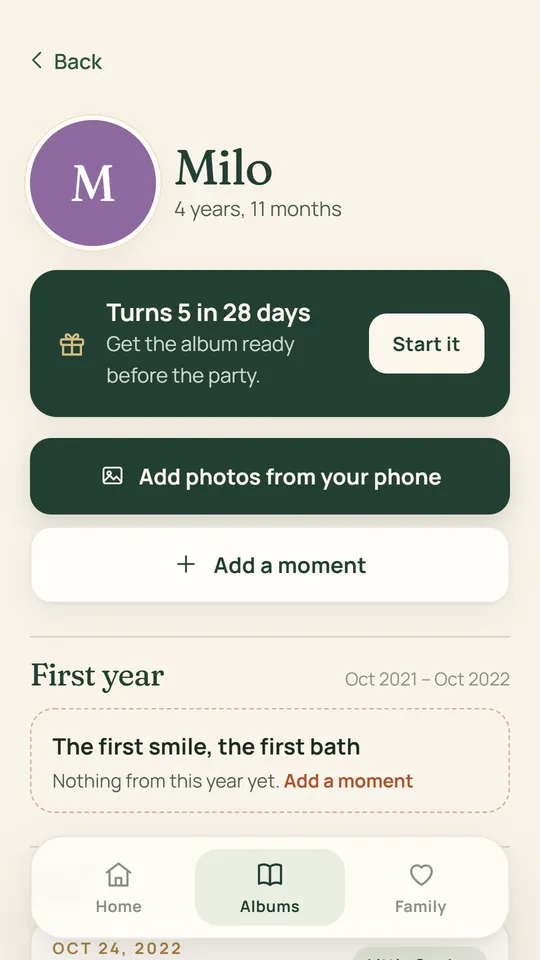
Every person in your family gets a timeline: the kids from their first year up, and the grown-ups too. Each year holds that birthday, plus the first days of school, graduations and trips.

Each year is labelled with how old they were, so you can watch everyone grow up.

MayBirthday app showing Milo's timeline, 4 years and 11 months old, with his birthday coming up in 28 days.

Years of photos, sorted for you

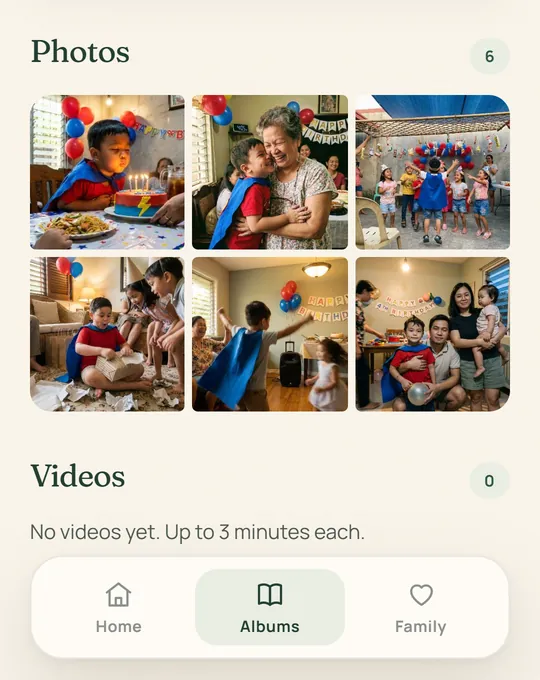
Pick as many photos from your gallery as you like. MayBirthday reads when each one was taken and puts it in the right year.

You check before anything is added. Photos and videos are kept apart, so you can always find them.

A birthday album in the MayBirthday app with photos from the party, sorted into one year.

The whole party, as a little film

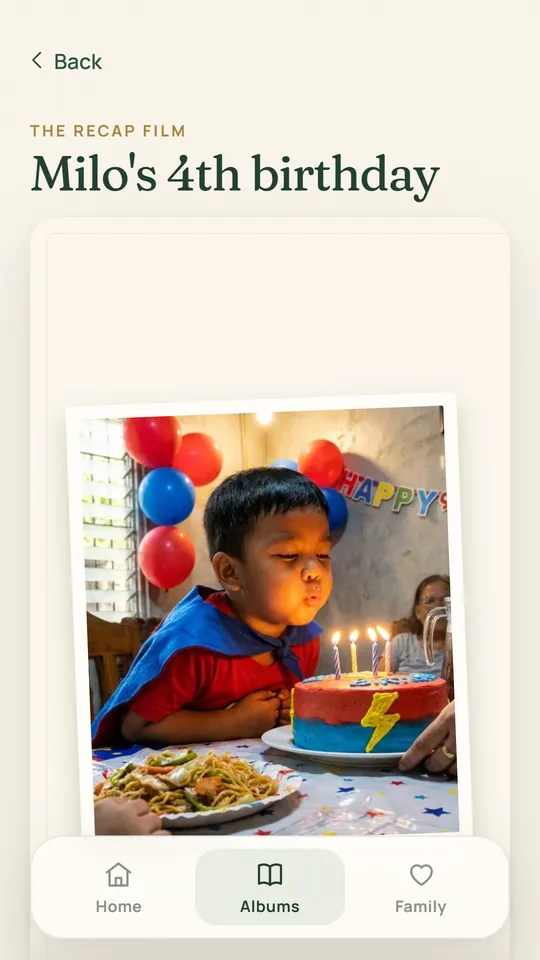
MayBirthday turns the day's photos into a short film with music. It's made right on your phone.

Watch it, save it, share it with the family.

The recap film screen for Milo's 4th birthday in the MayBirthday app.

Lola just taps a link

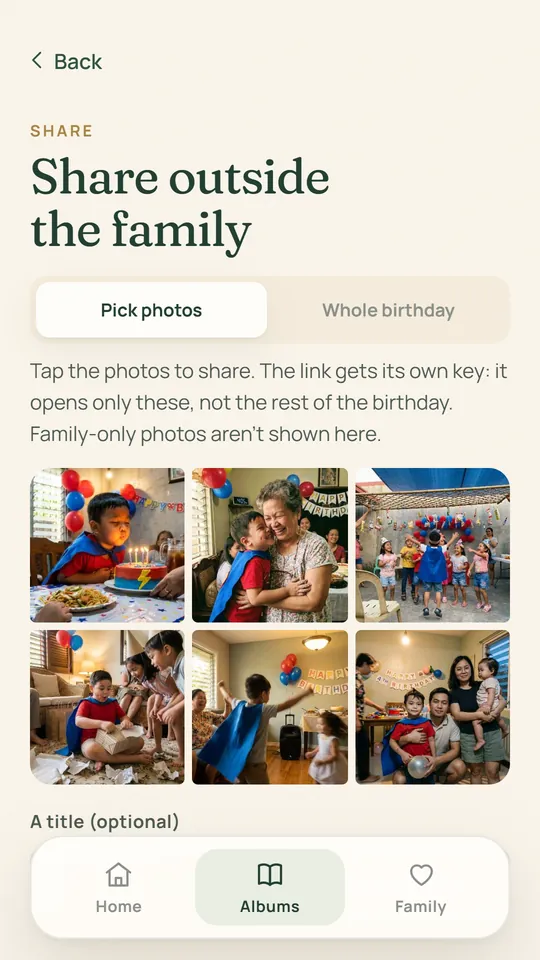
Share just the photos you pick, or one whole birthday. Lola and the titas tap the link. No app, no account.

Guests at the party can add their photos the same way. Nothing shows up until you approve it.

Choosing photos to share by link in the MayBirthday app.
Never miss a birthday

A nudge the evening before and on the morning of every birthday in your family.

Moments for every day out

A trip, a picnic, Sunday at Lola's: make it a moment, give it a name and a place, and tick who was there. It shows up in each of their timelines.

A year ago today

Beach weekends and Sunday picnics come back to you, a year later.

Family only, when you want

Mark a photo "Family only" and it never leaves the family, not even in a link.

Private, and always yours

Not even we can see your photos

  • Your photos are locked on your family's phones before they're uploaded. Not your photos, not your videos, not your kids' names.
  • Where each photo and video was taken is locked with your family's key before it leaves your phone: we can't see it, and share links never include it.
  • The app opens with your PIN, Face ID or fingerprint. A new phone can't open anything until your family approves it.
  • Every photo is kept in two separate places, so one problem can never take your family's photos.
  • Download everything, any time, as normal photo and video files. You're never stuck with us.
  • Delete your account whenever you like. We follow the Philippine Data Privacy Act. Read our privacy notice.

How it works

Start your family's album in five minutes

  1. Sign in with your email

    No password to remember. You sign in with a one-time code.

  2. Add your family

    A first name and a birthday for each person. Their timelines appear, year by year.

  3. Add your photos

    Pick them from your gallery. They're sorted into the right person and year for you.

  4. Invite your partner

    So you both keep the album, and each of you can let the other back in if a phone is lost.

Questions

Questions families ask

Is MayBirthday free?

Yes, during the beta. Before we ever ask you to pay, we'll show you the plan, the price and how cancelling works, and you choose. Nothing is charged without you agreeing first.

Do Lola and the titas need to download an app?

No. You send them a link, and they just tap it. No app and no account. They only see what you chose to share.

Can MayBirthday see my photos?

No. Your photos and videos are locked on your family's phones before they're uploaded, so we only ever store them locked. Not your photos, not your videos, not your children's names.

What if I lose my phone?

Lock it from our lost-phone page, on any phone or computer. Then the other parent's phone can let your new phone in. Lost every phone? Your Recovery Kit, a saved passkey or 2 of your 3 family helpers get you back in.

Is it only for birthdays?

No. Birthdays are where it starts, but you can keep any day: trips, picnics, Sunday lunch, a first day of school. Make it a moment, give it a name and a place, and tick who was there.

Can I take my photos out if I stop using it?

Yes. Download everything any time, as normal photo and video files, and delete your account whenever you like.

What size are my photos saved at?

At a size that's sharp on any phone and for prints up to 5R. We make each photo smaller on your phone before it's uploaded, so years of photos fit. Keep your originals too.

Does it work on iPhone and Android?

Yes. It works on both, and a family can mix them: one parent on iPhone, the other on Android, sharing the same album. During the beta we send you the app directly.

Start your family's album before the next birthday

We're letting in our first families now. Install the beta, then email us for your invite code to start your album.

iPhone: the link installs Apple's free TestFlight app, then MayBirthday. Android: we send you the app directly.